Compositor for Windows & macOS release 0.11 is now available! 🎉
This release adds comprehensive bibliography capabilities to the app.
What’s New?
Bibliography Support #53 #75 #815
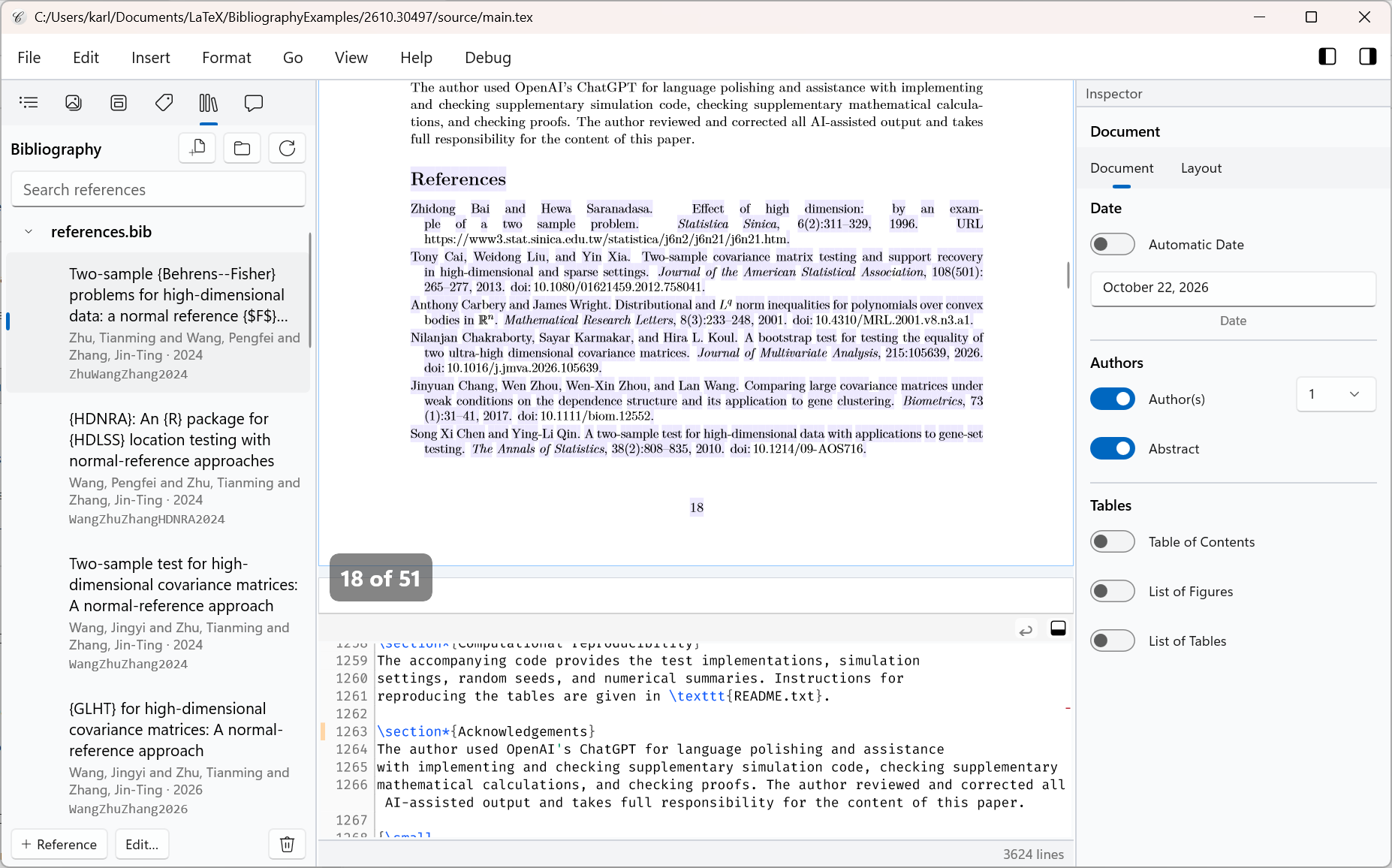
In the navigator’s new Bibliography tab, you can search your document’s references by title, author, or citation key, add and edit entries, and insert a citation right where you’re writing. The tab brings together references from .bib files and entries written directly in your LaTeX document. You can also create a new .bib file or attach one you already use:
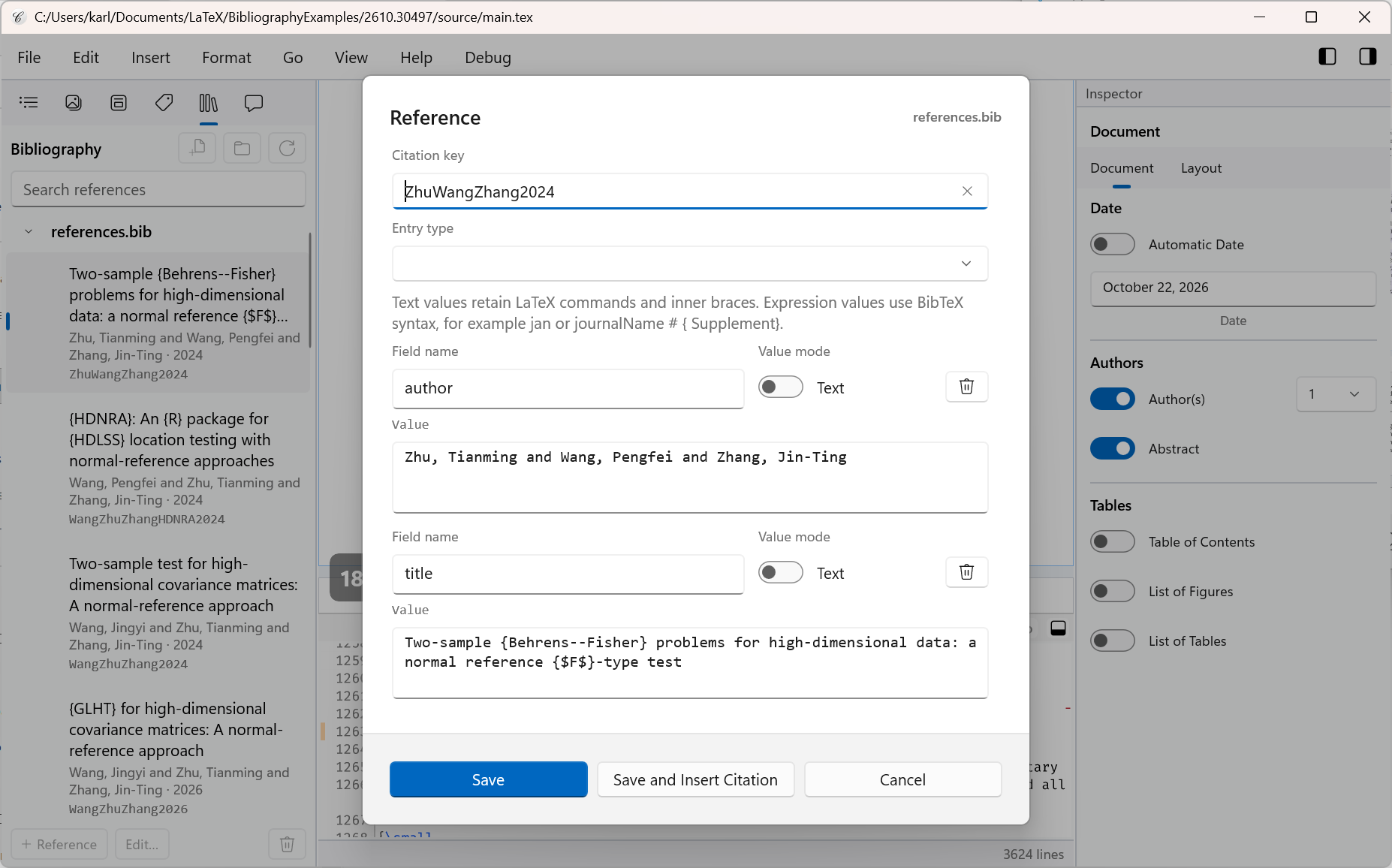
There’s also a built-in bibliography editor. The editor works with references in .bib files and
entries written directly in your LaTeX document:
Compositor supports inline LaTeX bibliographies, traditional BibTeX, and biblatex with either Biber or BibTeX. Both processors are built in. When you typeset your document, Compositor runs the appropriate processor automatically and uses your document’s chosen style to format citations and the bibliography.
Messages Tab #809 #803
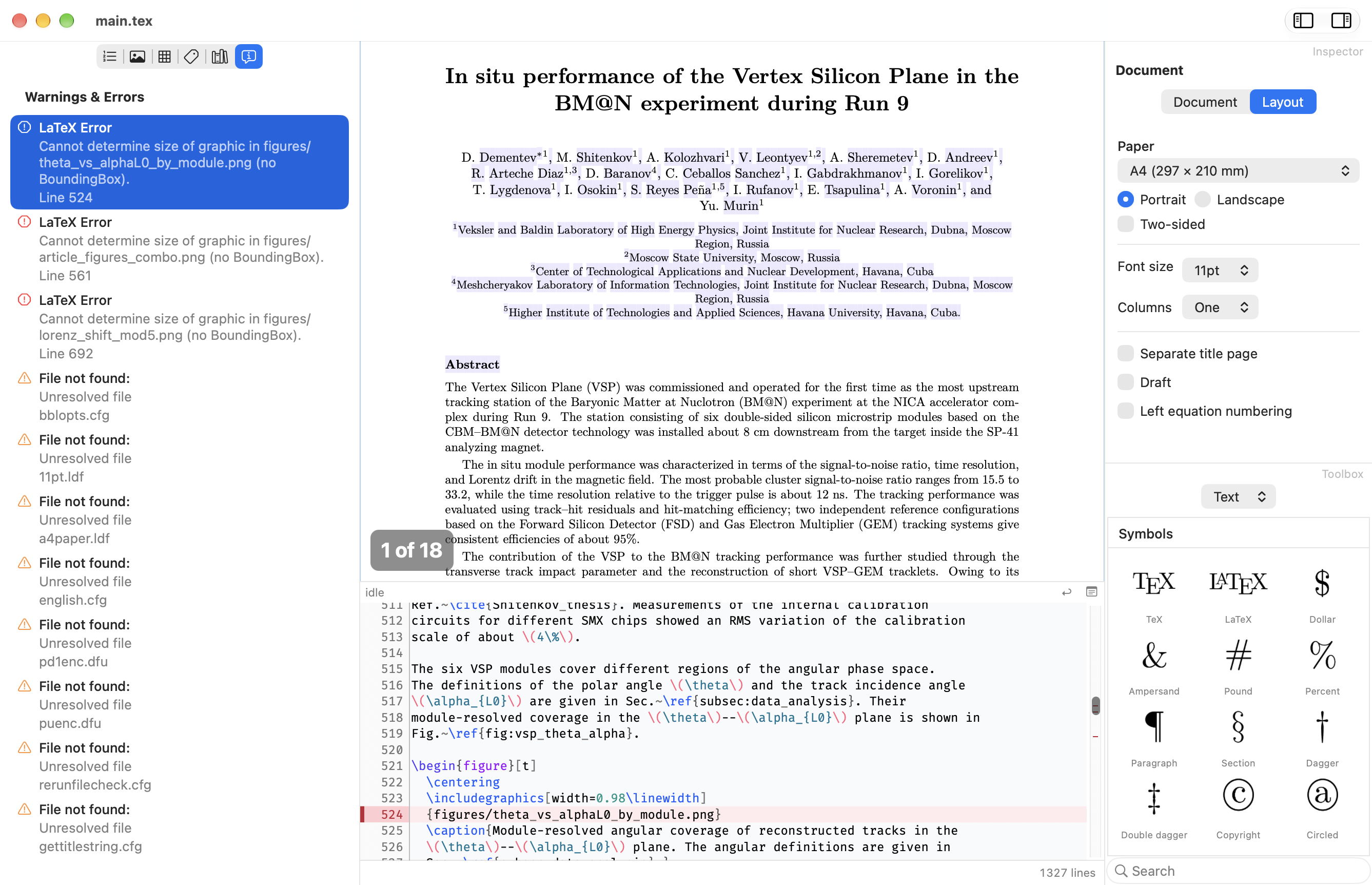
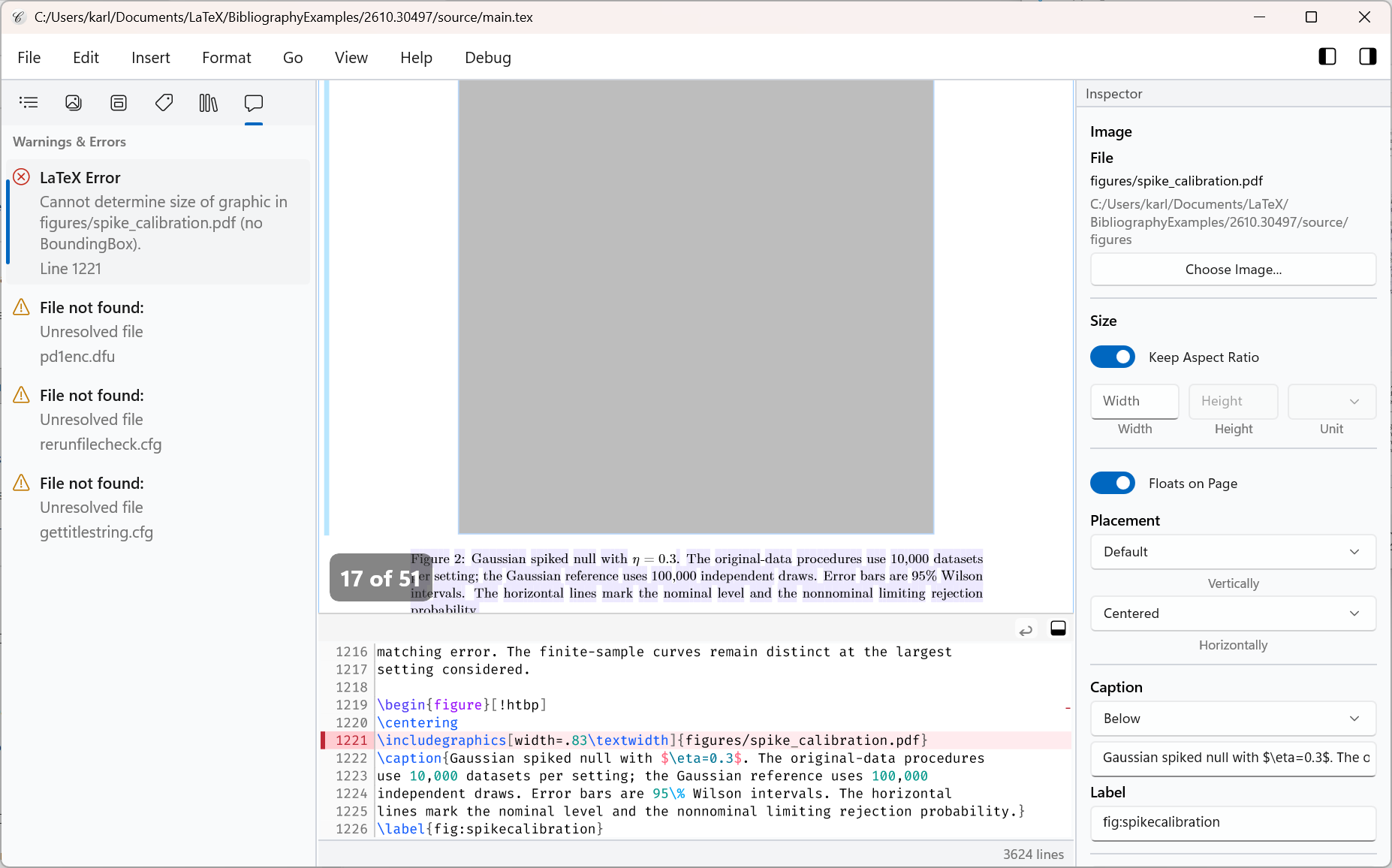
The Messages tab collects typesetting warnings and errors in the navigator. When a message points to a location in the document, select it to jump there.
On macOS, the redesigned list wraps long messages so they’re easier to read:
On Windows, the Messages tab is new in this release:
Smaller Improvements
- Selecting an item in the navigator now highlights the corresponding line in the source editor #818
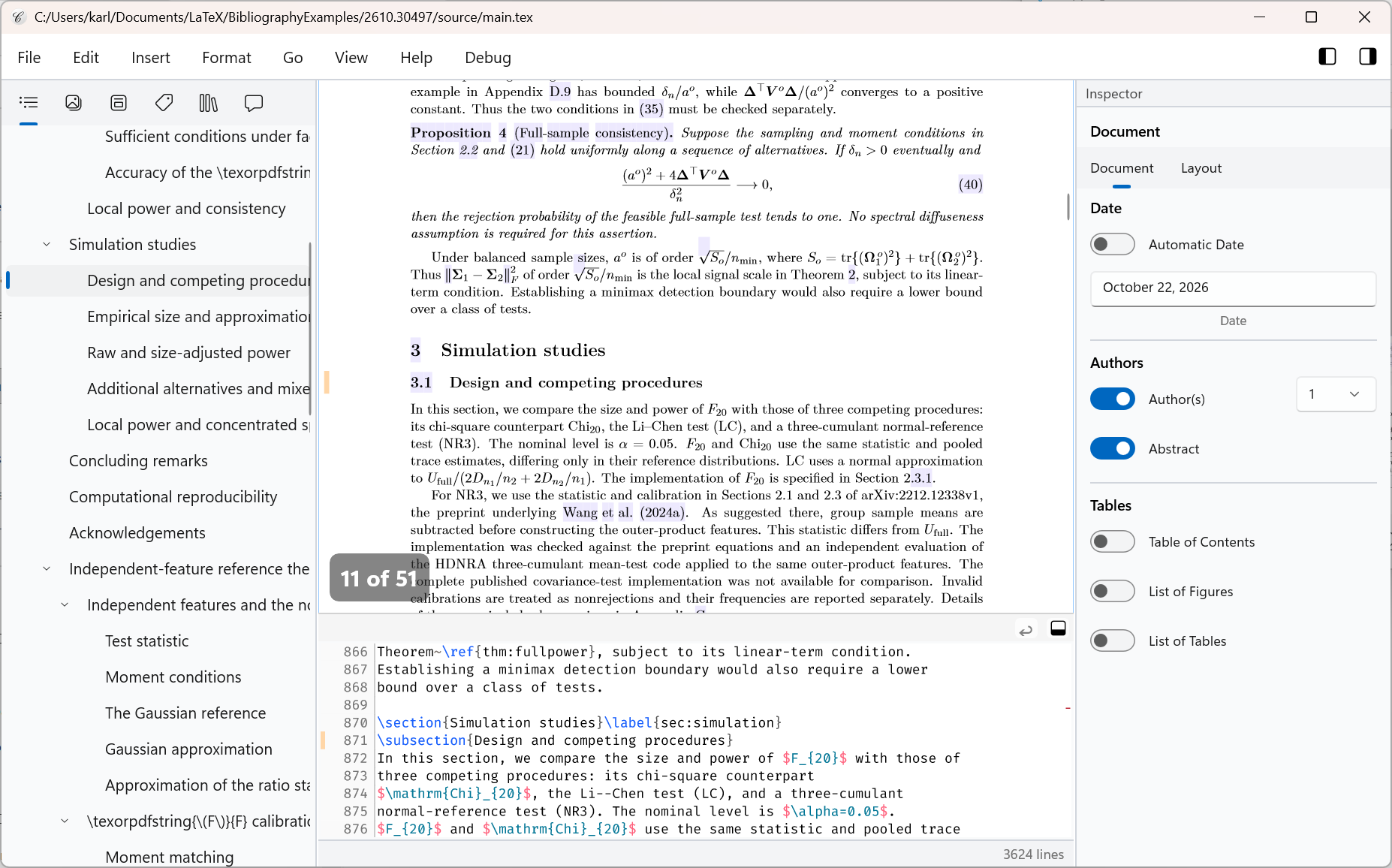
- Installing LaTeX packages on Windows no longer opens a console window #820 #824
- On Windows and macOS, a light purple highlight marks glyphs in the typeset view that have no corresponding location in the LaTeX source #823
- The visual Formula Editor is now called the Equation Editor #814
- Preview builds now expire after 60 days #816
Bugfixes
- Selecting an item in the outline, figures, or tables now scrolls the corresponding source line into view again #817
- Fixed usage reporting on Windows #810
Try it Out!
Windows Installers
- Intel/AMD · Compositor-Windows-x64-0.11.0.msix
- ARM · Compositor-Windows-arm64-0.11.0.msix
(requires Windows 10 version 1809 or newer)
The Windows installers use a self-signed certificate. Follow these steps the first time you install a Compositor preview.
- Download and double-click Compositor.cer.
- Click “Install Certificate” and choose “Local Machine”.
- Select “Place all certificates in the following store” and choose “Trusted People”.
- Complete the wizard.
macOS Installer
- Disk image · Compositor-macOS-0.11.0.dmg
(requires macOS 12.0 or newer)
Your Feedback is Much Appreciated!
I’d love to hear how the bibliography tools work with your documents. You can email me at support at compositorapp dot com or open an issue on the GitHub issue tracker.
Next Up
PDF export and improvements to how the outline stays in sync as you edit are planned for the next release. Compositor 0.12 milestone
Stay Informed
Follow @compositorapp on Mastodon or
Bluesky for news and updates
about Compositor for Windows & macOS!