WYSIWYG LaTeX Editor Compositor for Windows & macOS Release 0.8
The next version of Compositor for Windows & macOS, release 0.8 is available! 🎉
What’s New?
This release focuses on document navigation and inspector panels. The headline items are the new document navigator, a first batch of contextual inspectors, and a number of polish and stability improvements across both the Windows and macOS apps.
Document Navigator #699, #726, #730, #731
What was originally planned as a basic outline view grew into a versatile document navigator! Besides the document outline, it can now also show labels, figures, and tables, making larger documents much easier to navigate.
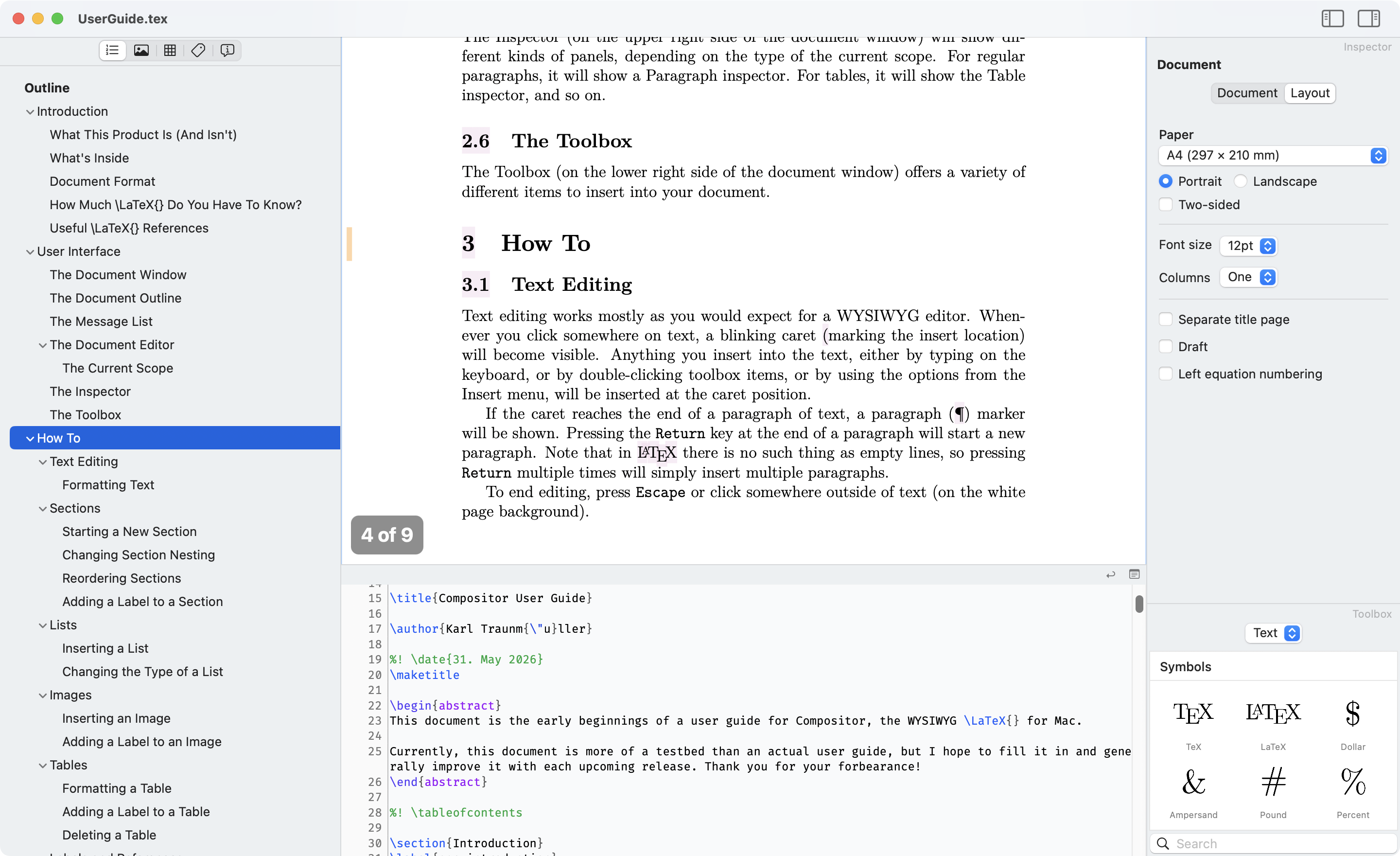
Selecting items in the navigator also ties in better with the editor, helping you jump to the right part of the document more quickly. A yellow page margin marker subtly highlights the selected element in the WYSIWYG editor:
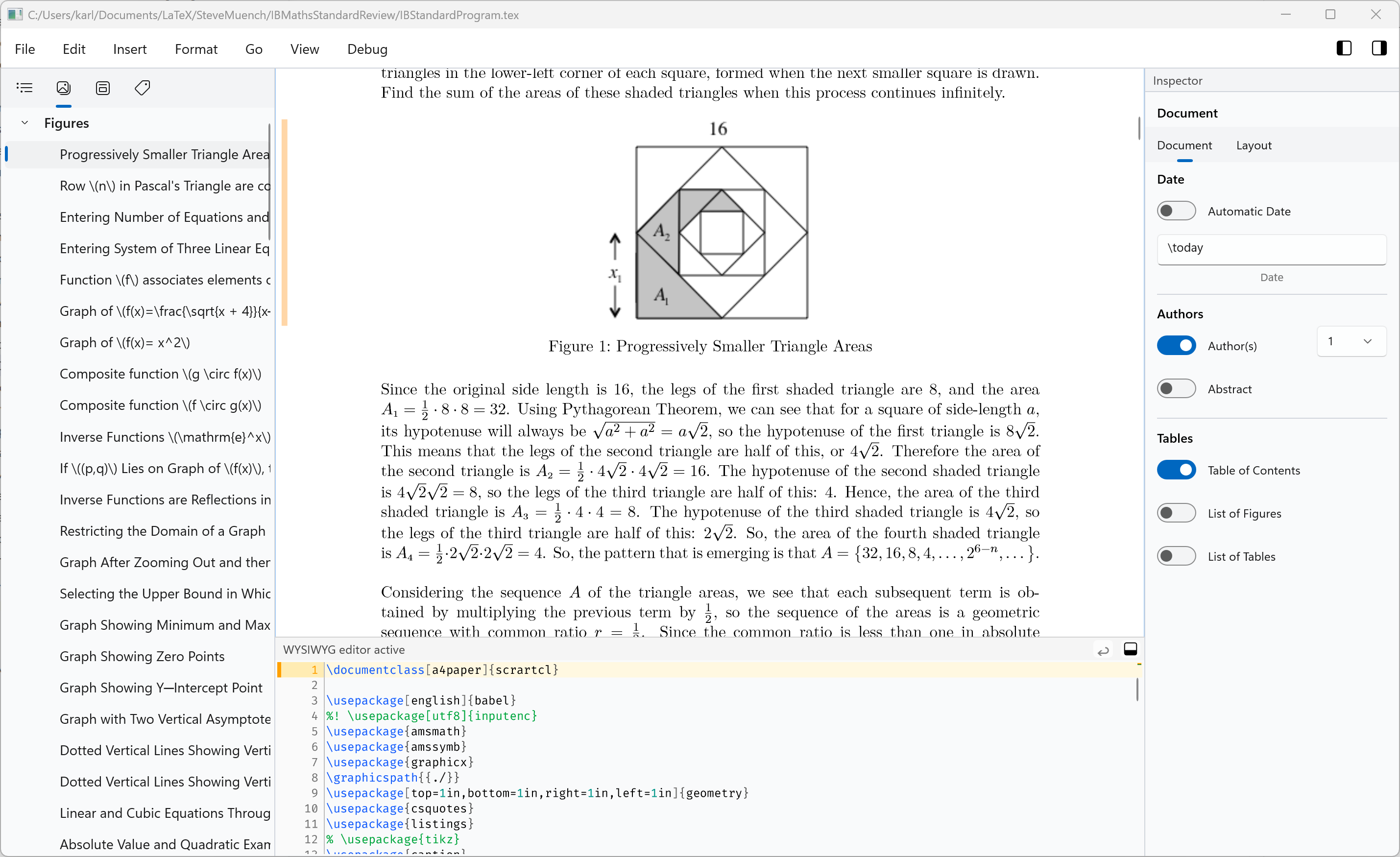
Document Inspector #700
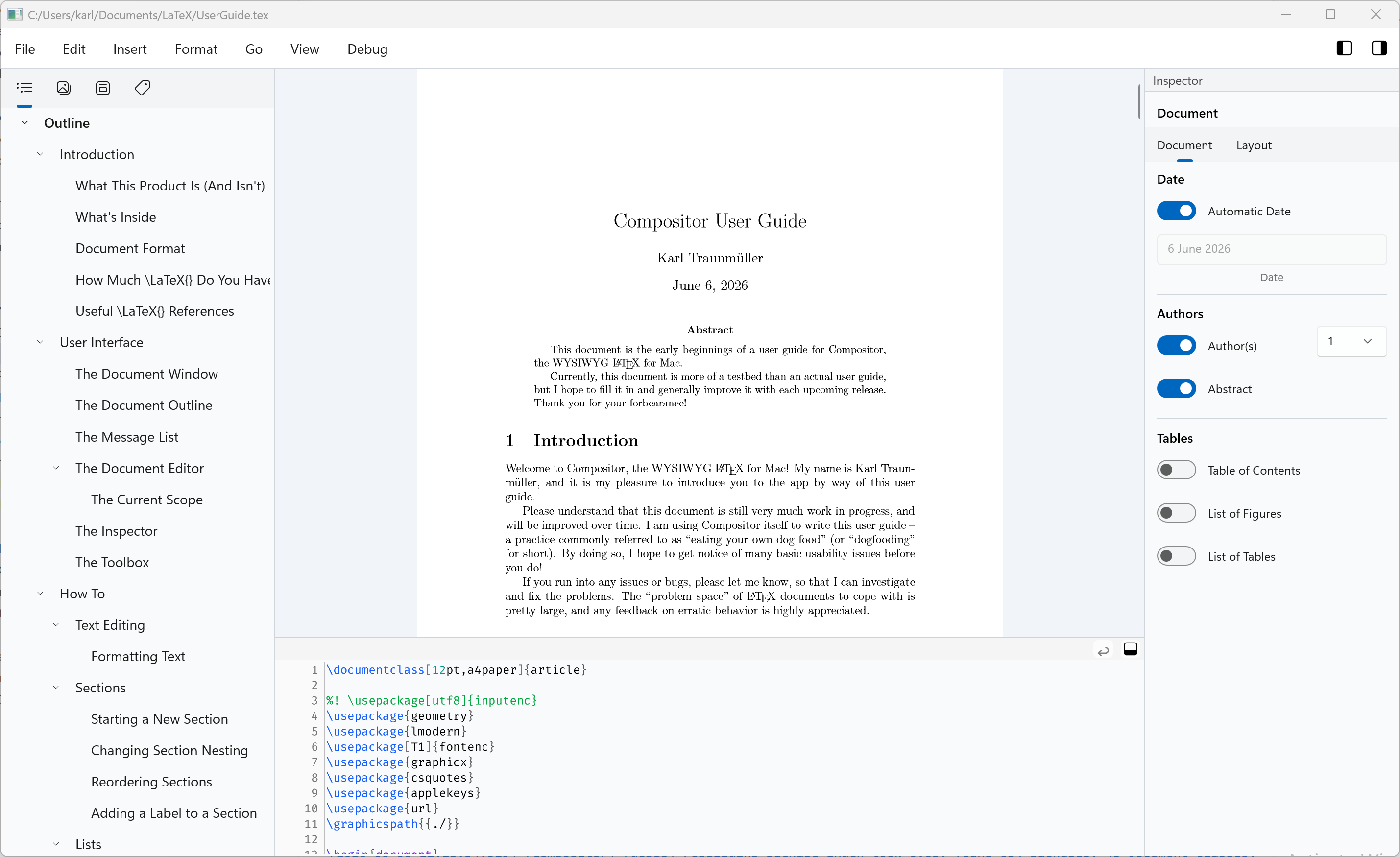
There’s now a document inspector for viewing and editing document-wide properties and layout options:
Section Inspector #724
Section properties can be changed from the section inspector:
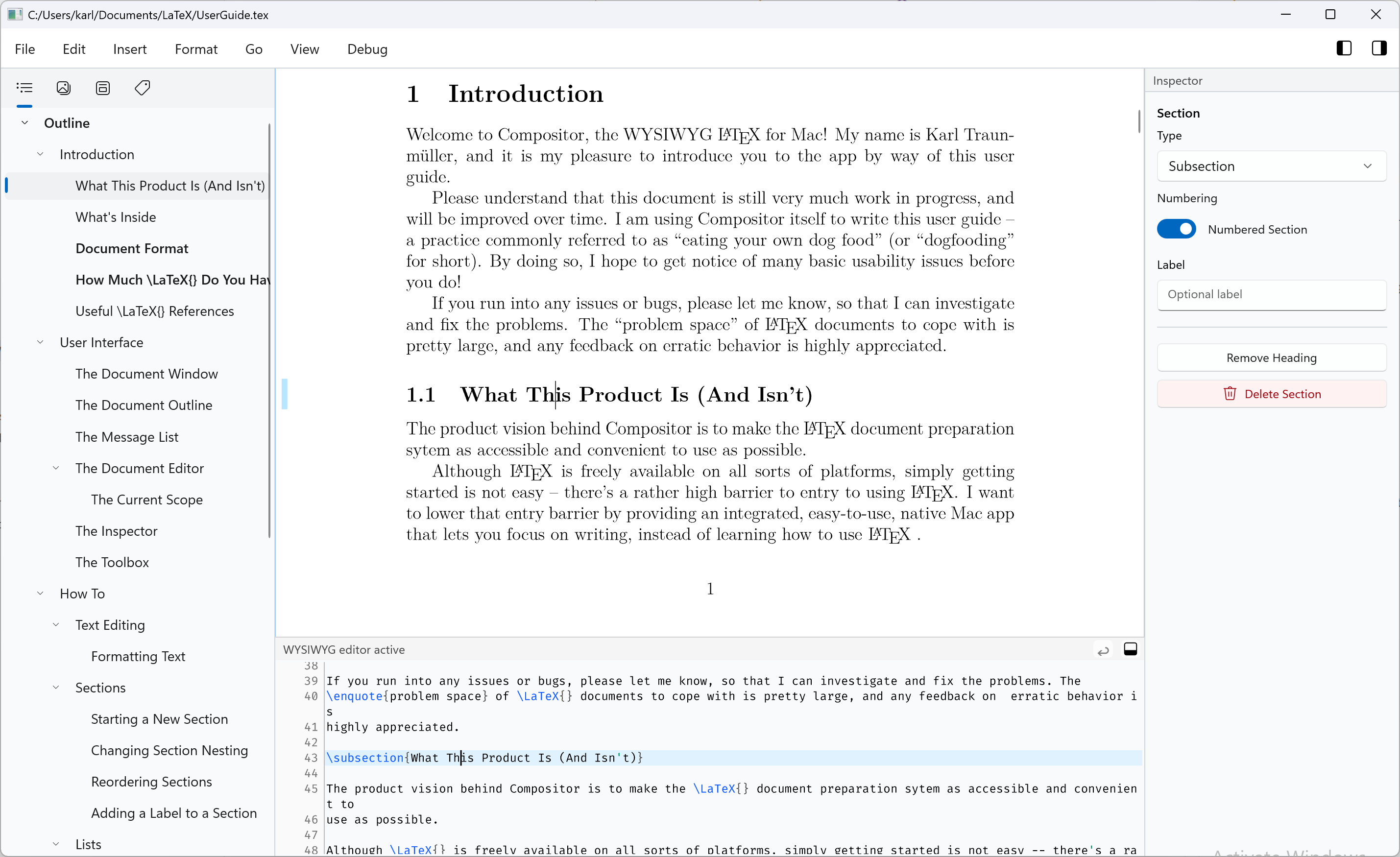
Table Inspector #701
Tables now have a dedicated inspector panel as well. This is a first step toward richer table editing in future releases.
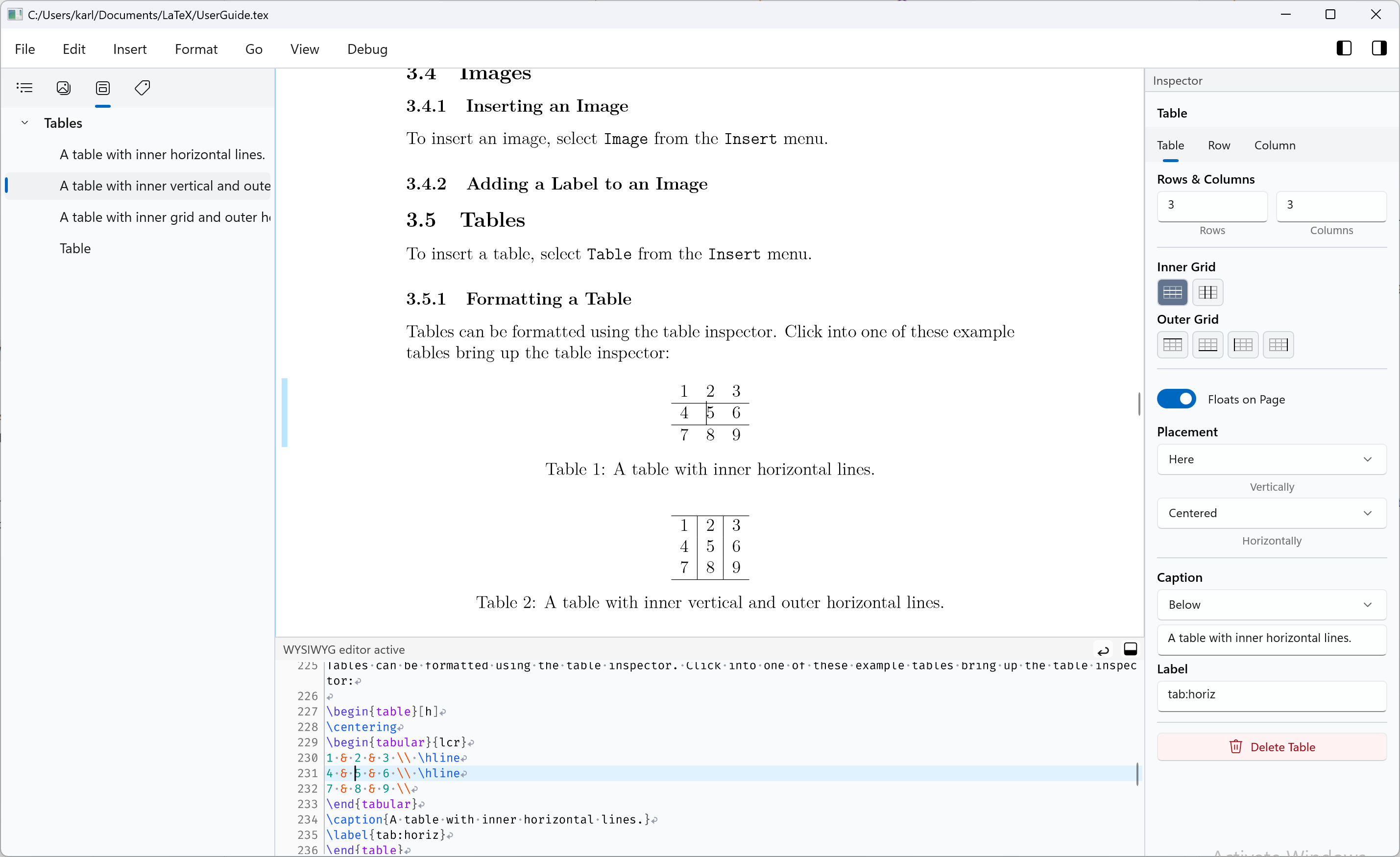
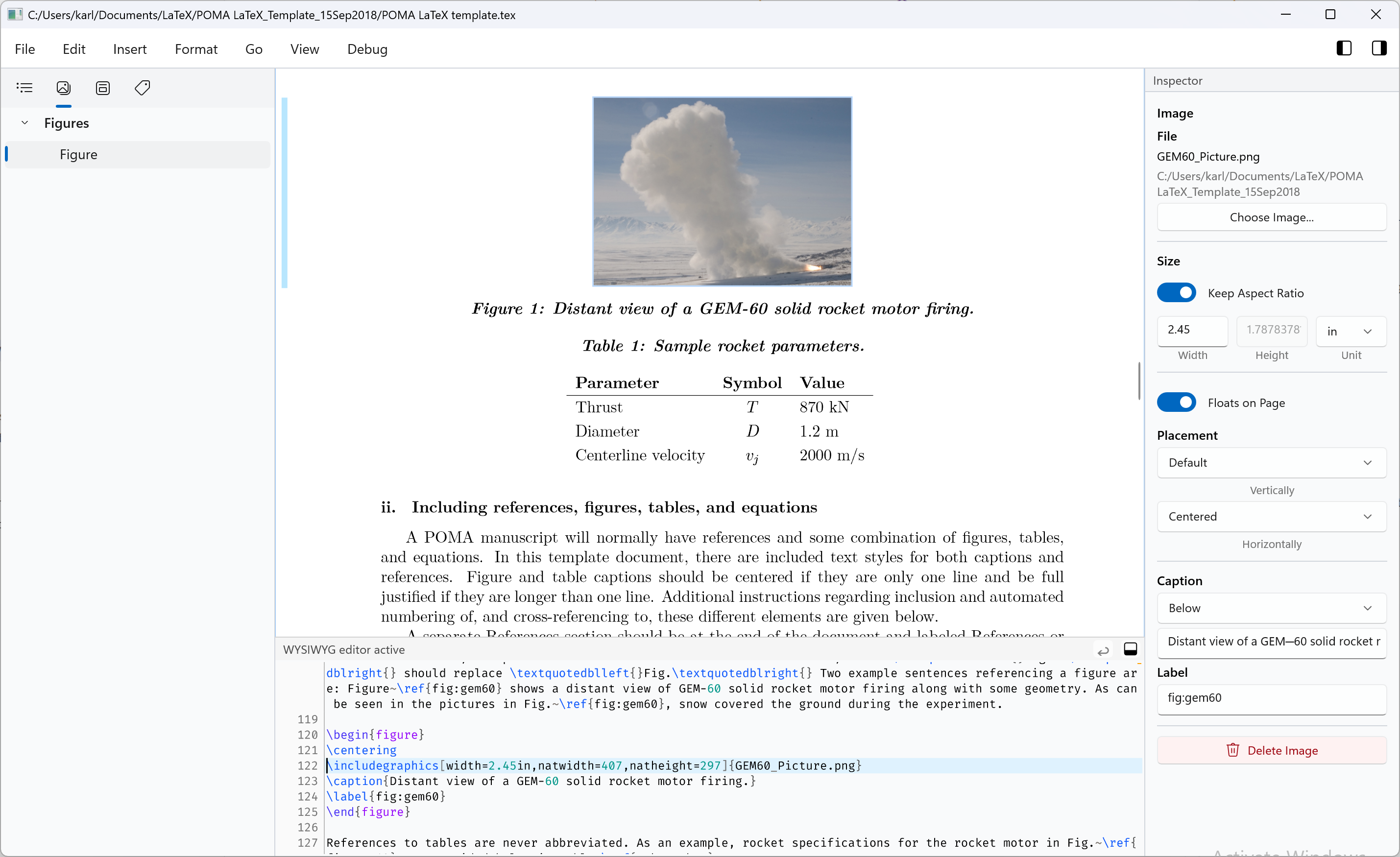
Image Inspector #725, #729
Images also got a dedicated inspector panel in this release:
Smaller Improvements
- Show document name in title bar #732
- Add some spacing between pages in WYSIWYG editor #738
- Add “Edit / Copy Verbatim” menu item #739
- Add “Clean Typeset” menu item #742
- Add keyboard shortcuts to Windows menu items #743
- Add title bar buttons to collapse side panels in Mac app #744
Bugfixes
- Typed characters get doubled up #727
- Current page selection when scrolling is broken #736
- Fix memory leaks #734
Other
- Show screenshots on website #718
Try it Out!
Prerequisites
For the time being, I am using a self-signed certificate to sign the app installers. If you want to install a prototype build, you will need to install my self-signed certificate (once) by following these steps:
Important: The previous certificate expired in March, and I had to create a new one. If you have installed the previous certificate at some point, please delete it, and install the new one instead.
- Download and double-click the certificate file: Compositor.cer
- Click “Install Certificate”
- Choose “Local Machine”
- Select “Place all certificates in the following store” → “Trusted People”
- Complete the wizard
The forthcoming “real” releases will of course be signed with a proper code-signing certificate, and these steps will not be necessary.
Windows Installers
Compositor for Windows is distributed as an MSIX installer to provide a modern installation experience:
- Intel/AMD installer: Compositor-0.8-x64.msix
- ARM installer: Compositor-0.8-arm64.msix
(requires Windows 10 or newer)
macOS Installer
macOS builds are provided using the same codebase and versioning as the Windows version:
- macOS disk image: Compositor-0.8.dmg
(requires macOS 10.15 or newer)
Your Feedback is Much Appreciated!
Any sort of feedback is much appreciated! You can reach me by email at support at compositorapp dot com.
Next Up
This 0.8 release will be followed by a “quality pass” 0.8.1 patch release. If you find any problems with the 0.8 release, please let me know, and I will try to fix them in this patch release.
After that, release 0.9 will bring a first iteration of a graphical formula editor! This is something I am very much looking forward to.
Stay Informed
Follow @compositorapp on Mastodon or
Bluesky for news and updates
about Compositor for Windows!