WYSIWYG LaTeX Editor Compositor for Windows & macOS Release 0.7
The next prototype of Compositor for Windows & macOS, release 0.7 is available! 🎉
What’s New?
This release focuses on source editor improvements. The headline items are syntax highlighting, basic code completion, and a number of navigation and editing features that make working with larger documents much more enjoyable.
Syntax Highlighting in Source Editor #671
The source editor (the pane below the WYSIWYG editor) now offers basic syntax highlighting:
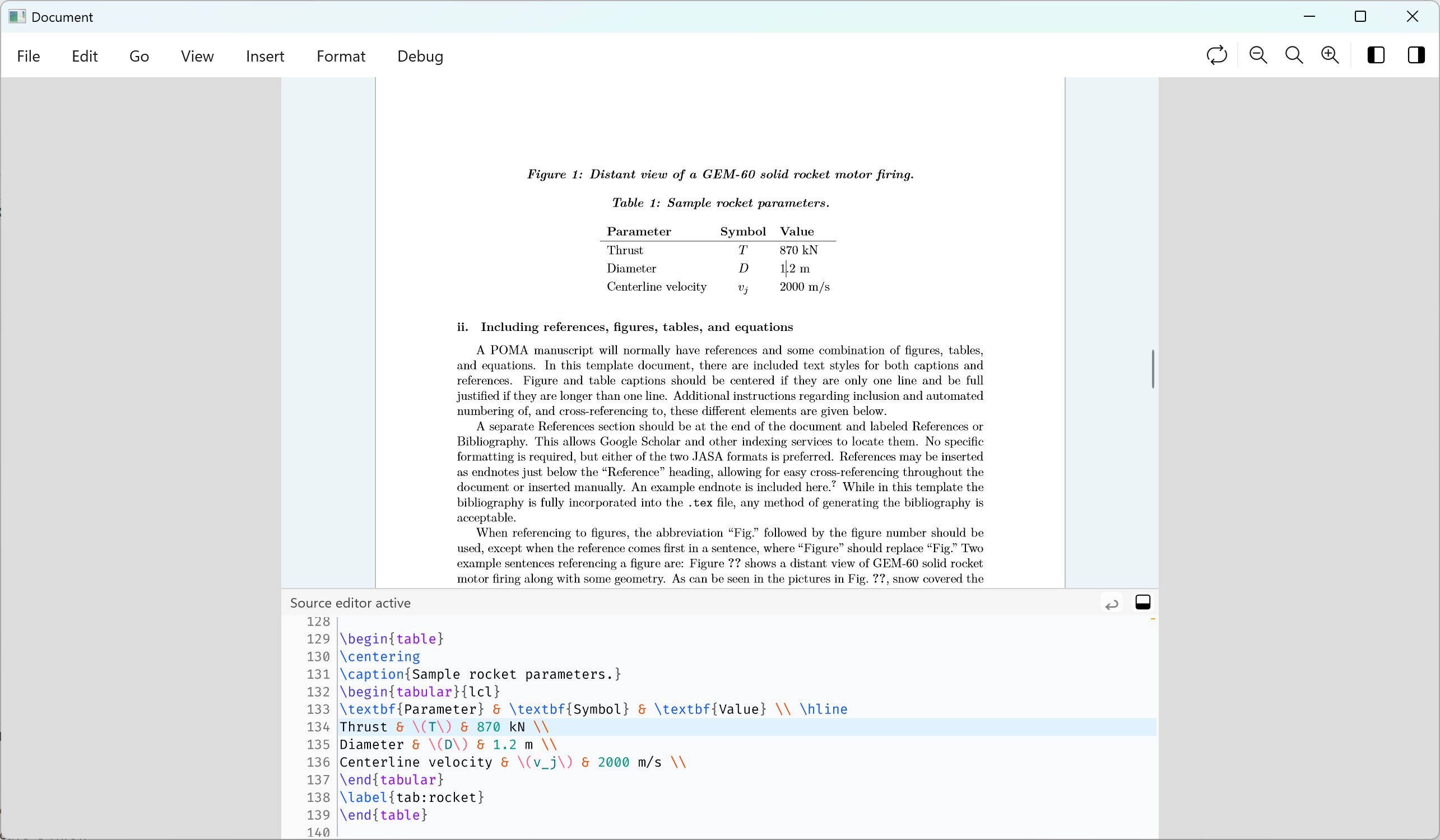
The syntax colour scheme will be configurable at some point.
Highlight Matching Braces in Source Editor #415
Matching braces are now highlighted in the source editor as you move the cursor around:
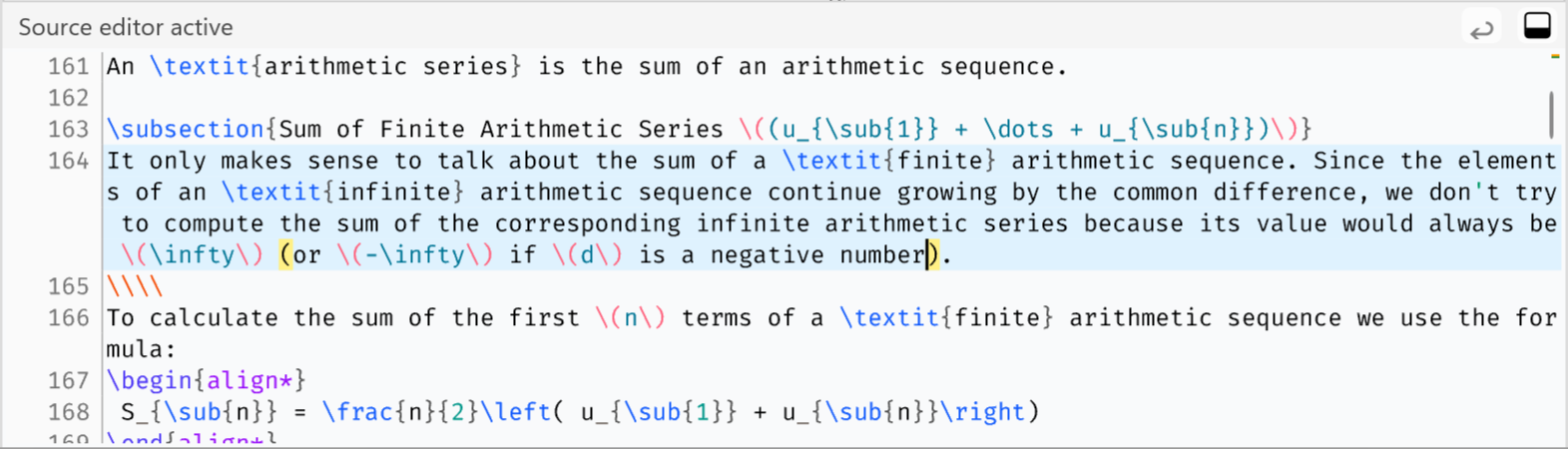
A small, but very useful improvement, I think.
Basic Code Completion #672
Basic code completion is now available in the source editor. This is just a first step (with more features on the roadmap), but it already makes common LaTeX commands easier to discover and type.
Pressing Ctrl+Space (Windows) / Cmd+Space (macOS) will open the code completions popup:
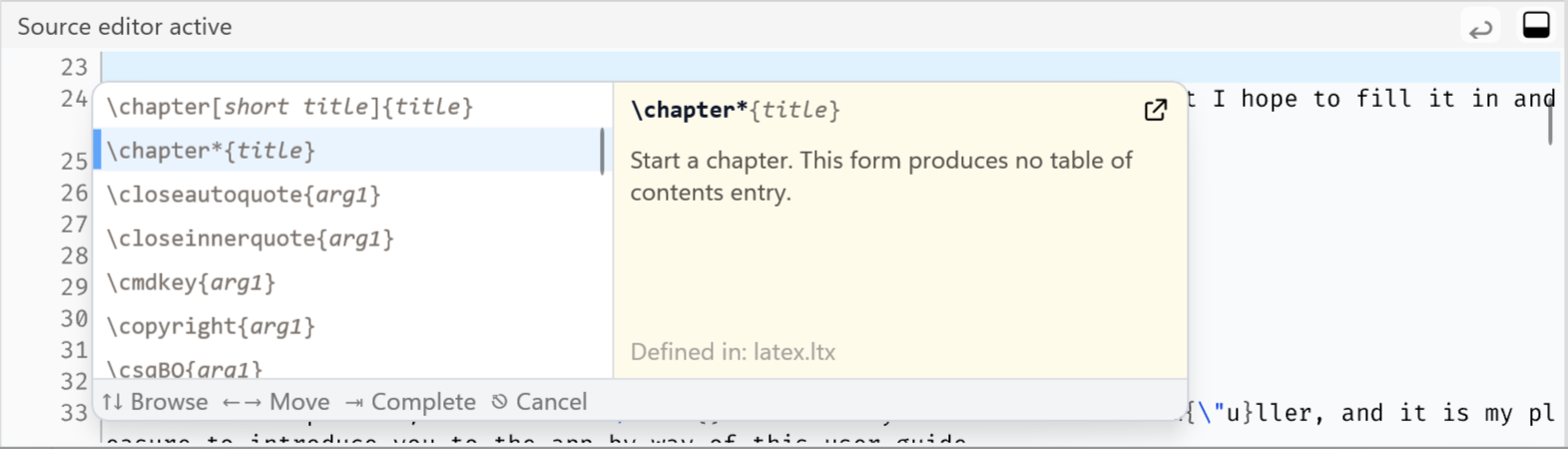
Use the arrow ↑ / ↓ keys to browse commands. Press Tab to insert a command, Esc to
dismiss to completions popup.
Opening the code completions popup while the cursor is on a command will show a list of prefix-matching results:
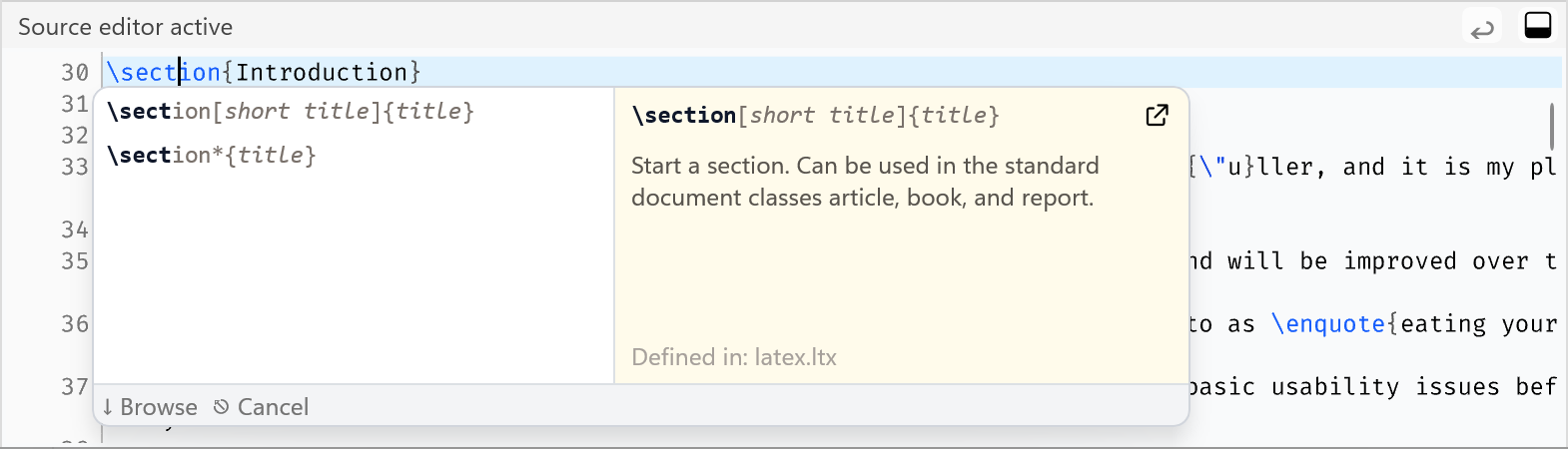
When the cursor is inside a command argument, the code completions popup will show information about that argument (for some commands, more will be added):
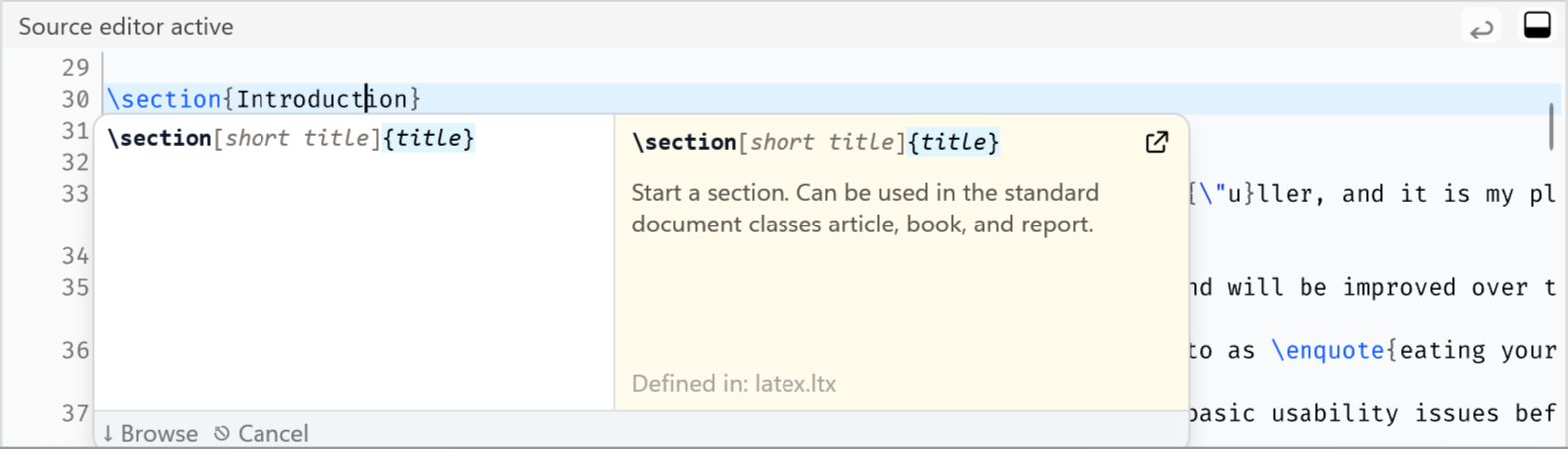
It’s a bit hard to describe in words, but I hope it’s intuitive.
Find in Source Editor #611
When the source editor is focused, Ctrl+F (Windows) / Cmd+F (macOS) now brings up
a Find panel:
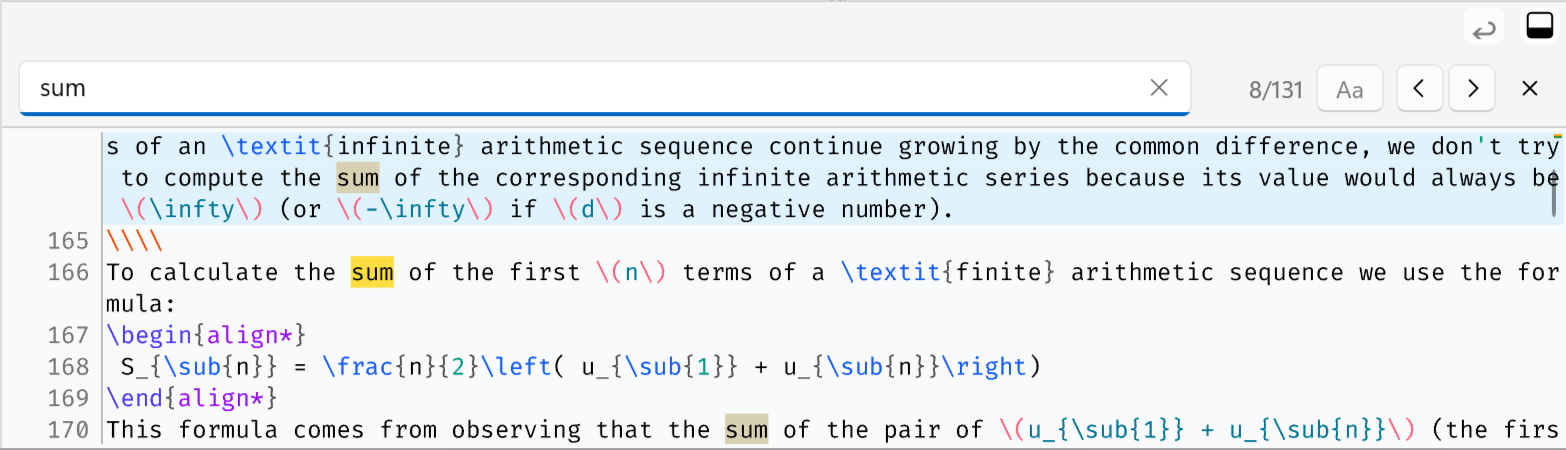
Use Enter / Shift+Enter while the search field has focus to jump to the next / previous
result, respectively. Esc will dismis the Find panel.
Go to Line in Source Editor #694
You can now jump directly to a specific line number in the source editor. Press Ctrl+L (Windows)
/ Cmd+L (macOS) to bring up the Go to Line popup:
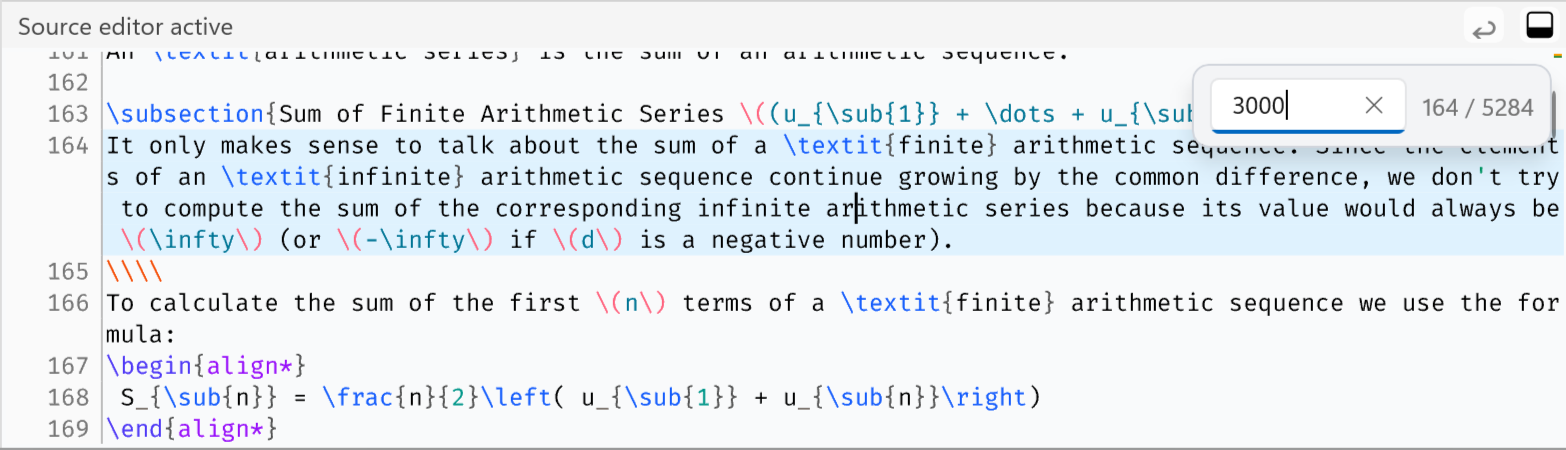
Whitespace Rendering in Source Editor #695
The new small button in the top-right corner of the source editor header turns whitespace rendering on or off:
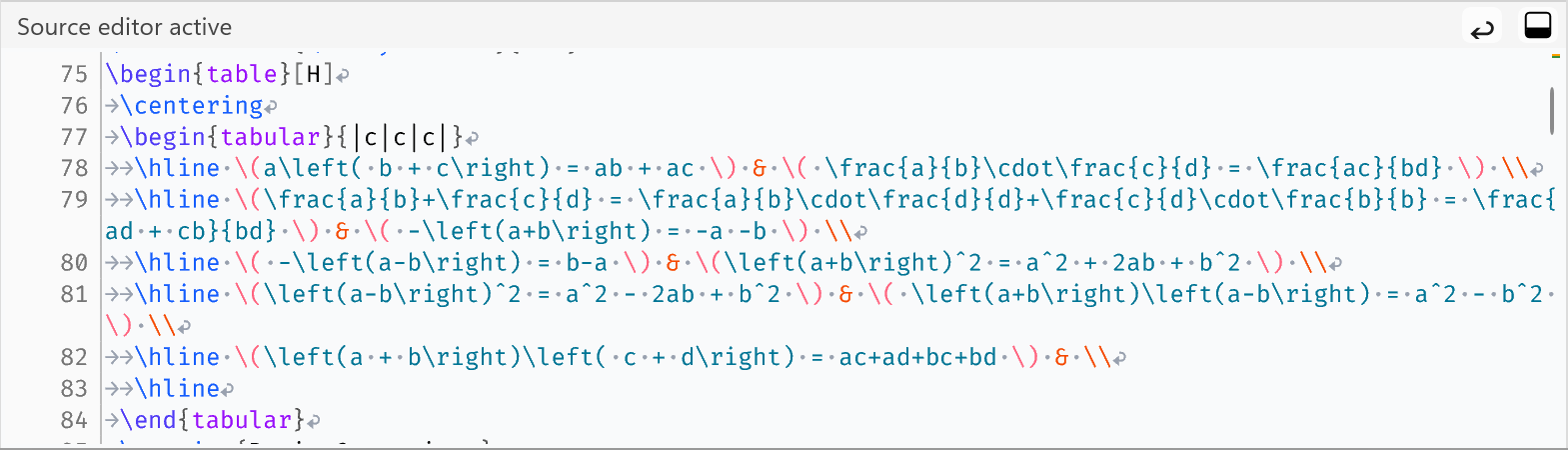
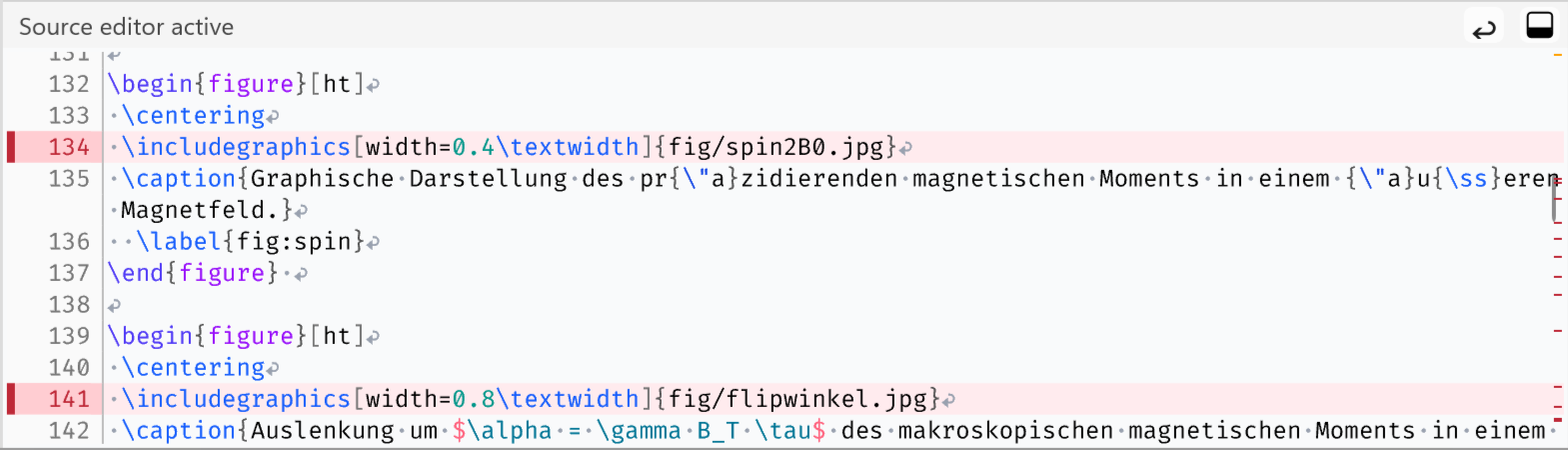
Show issue markers in the scroll bar area #697
The location of warnings and errors in the document are now indicated in the vertical scroll bar:
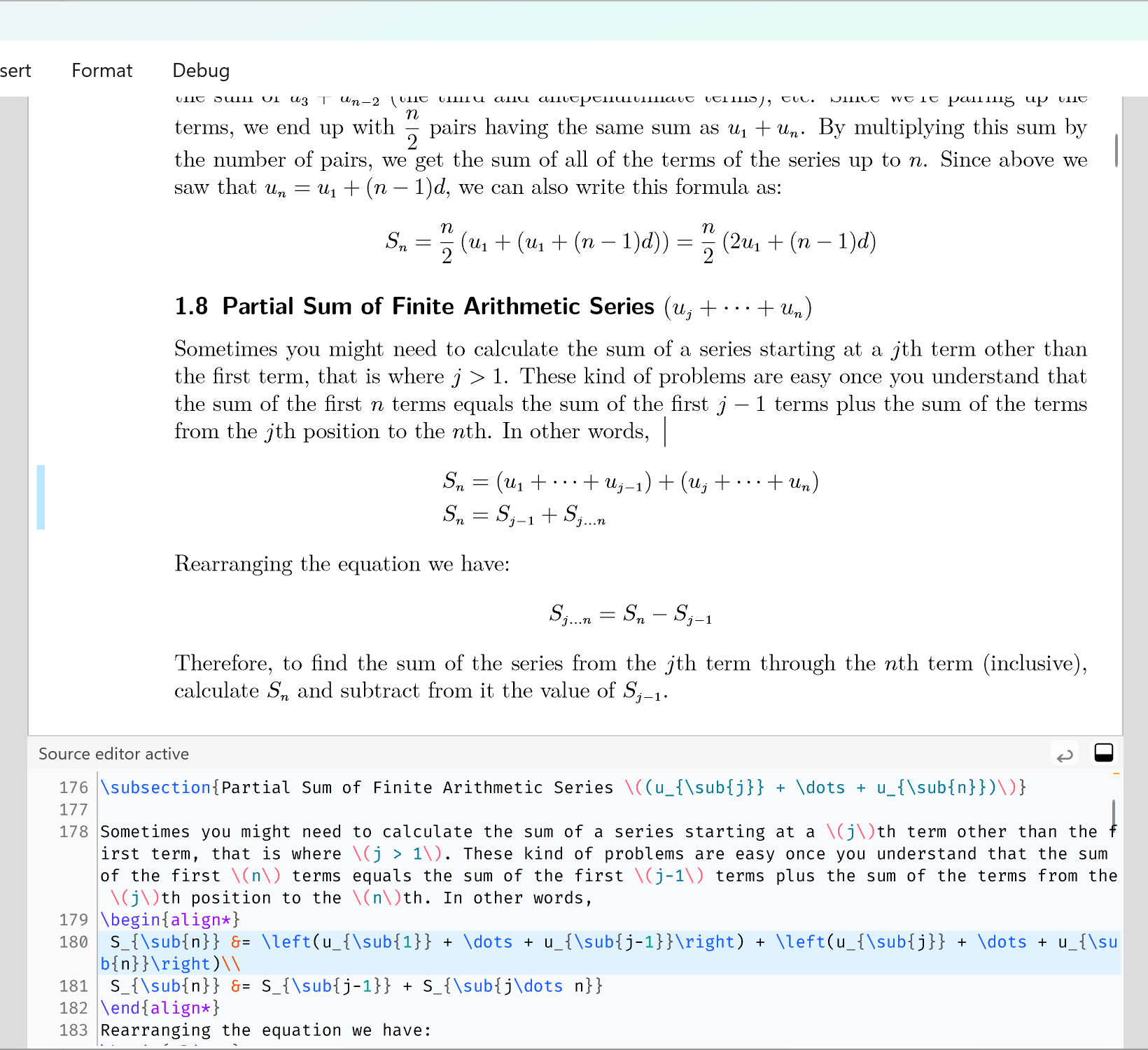
Replace current scope mask with side bar #702
The current scope (this may be a section, a paragraph, a formula, a table, etc) is now marked with a subtle blue bar in the page margin:
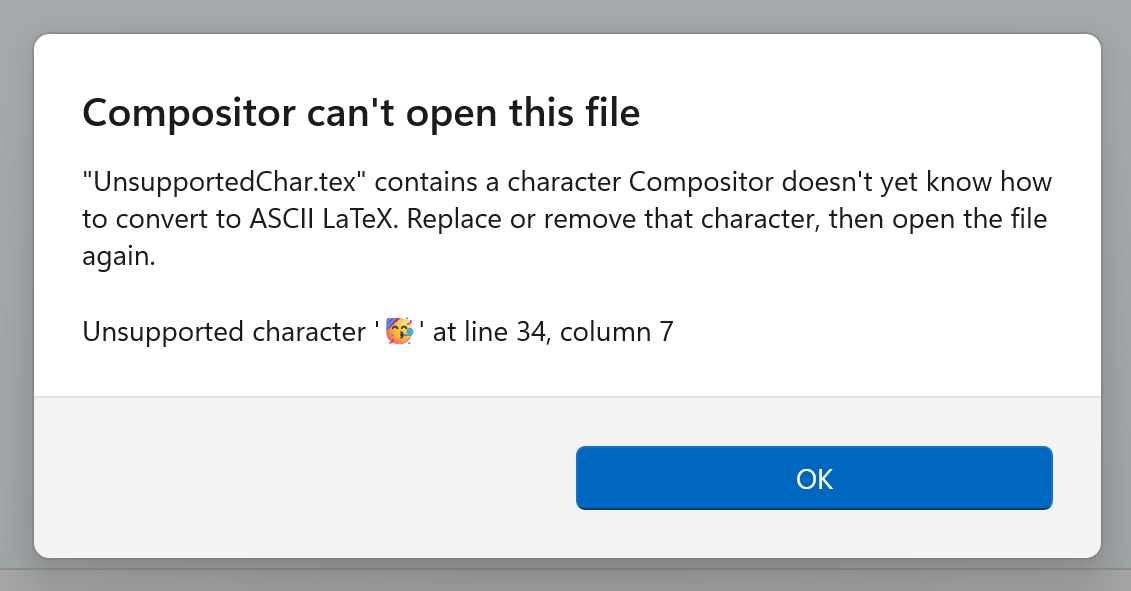
Report unsupported characters instead of crashing #707, #721
When opening a file, Compositor converts any non-ASCII characters (German Umlauts, accents, etc.)
to their TeX command ASCII equivalent (e.g., ü is converted to {\"u}).
If during this process a character is encountered which Compositor doesn’t know how to translate, an alert will now be presented (instead of crashing or failing silently):
Smaller Improvements
- Cut/copy/paste in source editor #674
- Cut/copy/paste in WYSIWYG editor #704
- Add a Typeset toolbar button #703
- Cache package index on disk #619
Bugfixes
- Switch active editor broken #709
Other
- Renew code signing certificate #710
- You may have noticed that I have changed the title of the release announcement blog post. The idea is to give people who find these blog posts, without knowing much about Compositor, more context as to what this is all about.
Try it Out!
Prerequisites
For the time being, I am using a self-signed certificate to sign the app installers. If you want to install a prototype build, you will need to install my self-signed certificate (once) by following these steps:
Important: The previous certificate expired in March, and I had to create a new one. If you have installed the previous certificate at some point, please delete it, and install the new one instead.
- Download and double-click the certificate file: Compositor.cer
- Click “Install Certificate”
- Choose “Local Machine”
- Select “Place all certificates in the following store” → “Trusted People”
- Complete the wizard
The forthcoming “real” releases will of course be signed with a proper code-signing certificate, and these steps will not be necessary.
Windows Installers
Compositor for Windows is distributed as an MSIX installer to provide a modern installation experience:
- Intel/AMD installer: Compositor-0.7-x64.msix
- ARM installer: Compositor-0.7-arm64.msix
(requires Windows 10 or newer)
macOS Installer
macOS builds are provided using the same codebase and versioning as the Windows version:
- macOS disk image: Compositor-0.7.dmg
(requires macOS 10.15 or newer)
Your Feedback is Much Appreciated!
Any sort of feedback is much appreciated! You can reach me by email at support at compositorapp dot com.
Next Up
The upcoming milestone 0.8 will focus on inspector panels, and will also bring a first iteration of a visual table editor!
Stay Informed
Follow @compositorapp on Mastodon or
or Bluesky for news and updates
about Compositor for Windows!