The next prototype of Compositor for Windows, release 0.5 is finally available! 🎉
What’s New?
Cross-Platform Source Editor Foundation #636
I have implemented a cross-platform source code editor foundation from scratch. This means that the code that powers the source editor is now shared between Windows and macOS.
The idea was that I don’t want to maintain two separate implementations of the source editor. With the new shared code, every feature I add to the editor is automatically available on both platforms, with only a little bit of UI integration effort.
This bigger effort is mostly the reason why this release took a bit longer.
Basic Source Editing #654
The user-visible part of all this is a new source editor pane below the WYWISWYG editor:
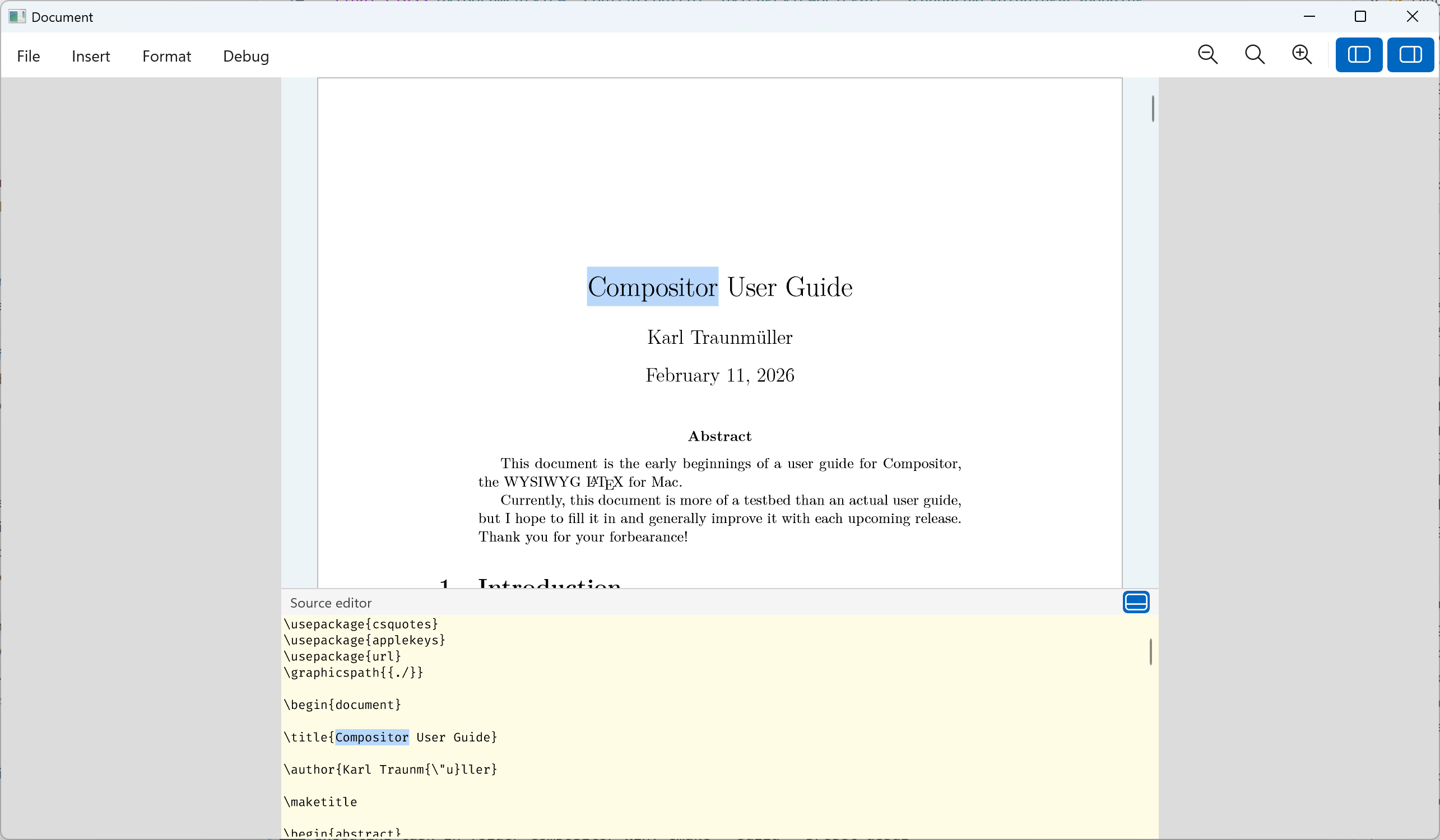
It’s very basic for now, but this should quickly evolve into a really nice LaTeX source editor with syntax highlighting, autocompletion, line numbers, code folding, inline error hints, and more. Check out the upcoming milestones for more details.
The source editor pane can be collapsed by clicking the little button in the top right corner:
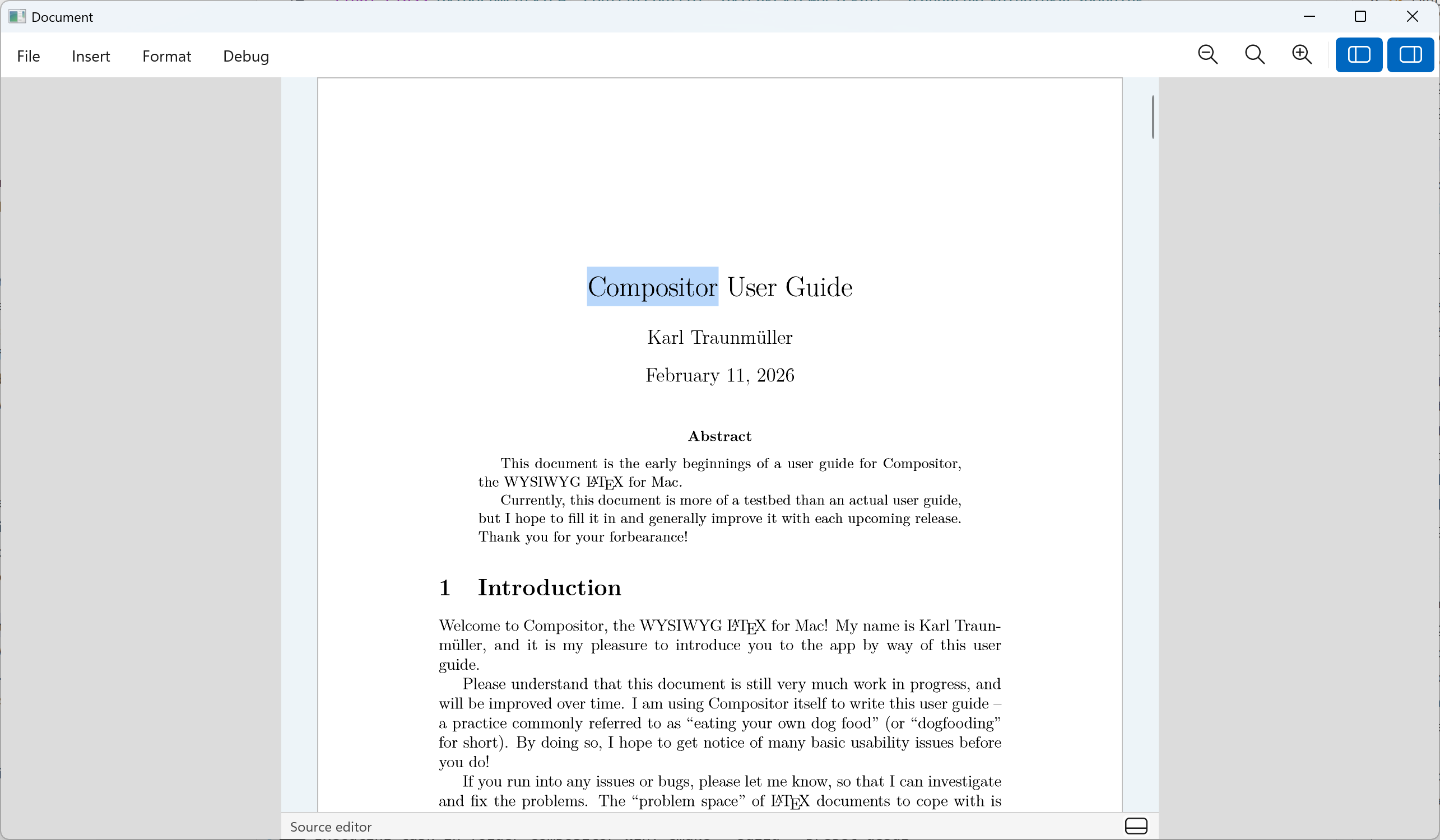
In a future release, the source editor will be detachable into its own window, so people with multi-monitor setups can use it more effectively. The same will be true for the upcoming formula editor (currently scheduled for the 0.8 release).
Improvements
Bugfixes
- Console window opens when the app is launched #653
- Hang on application launch #665
- Math environments broken #668
Other
-
Integrate tracy profiler #677
The amazing Tracy profiler lets me have a detailed look at what’s happening inside the app and identify performance problems. See this thread for an example.
Try it Out!
Prerequisites
For the time being, I am using a self-signed certificate to sign the app installers. If you want to install a prototype build, you will need to install my self-signed certificate (once) by following these steps:
- Download and double-click the certificate file: Compositor.cer
- Click “Install Certificate”
- Choose “Local Machine”
- Select “Place all certificates in the following store” → “Trusted People”
- Complete the wizard
The forthcoming “real” releases will of course be signed with a proper code-signing certificate, and these steps will not be necessary.
The Installer
Compositor for Windows is distributed as an MSIX installer to provide a modern installation experience:
- intel/AMD installer: Compositor-0.5-x64.msix
- ARM installer: Compositor-0.5-arm64.msix
Your Feedback is Much Appreciated!
If the installer doesn’t work for you, please let me know. If the app doesn’t launch or crashes, please let me know. If something doesn’t work, please let me know.
In general, any sort of feedback is much appreciated! You can reach me by email at support at compositorapp dot com.
Next Up
The next milestone 0.6 will bring improved source editing and a basic warnings & errors UI, along with bugfixes and other improvements.
Stay Informed
Follow @compositorapp on Mastodon or
or Bluesky for news and updates
about Compositor for Windows!